AI marketing automation platform: How Gryffin Works
Marcela De Vivo
Marcela De Vivo
March 11, 2026
How Gryffin Works: Inside an AI marketing automation platform
Gryffin offers a powerful solution that blends artificial intelligence (AI) with customizable workflows, providing marketers, agencies, and content creators with the tools they need to streamline content creation, optimize performance, and automate repetitive tasks. Here's how Gryffin works and why it stands out in the crowded field of marketing automation.
1. How to use templates in an AI marketing automation platform to launch faster
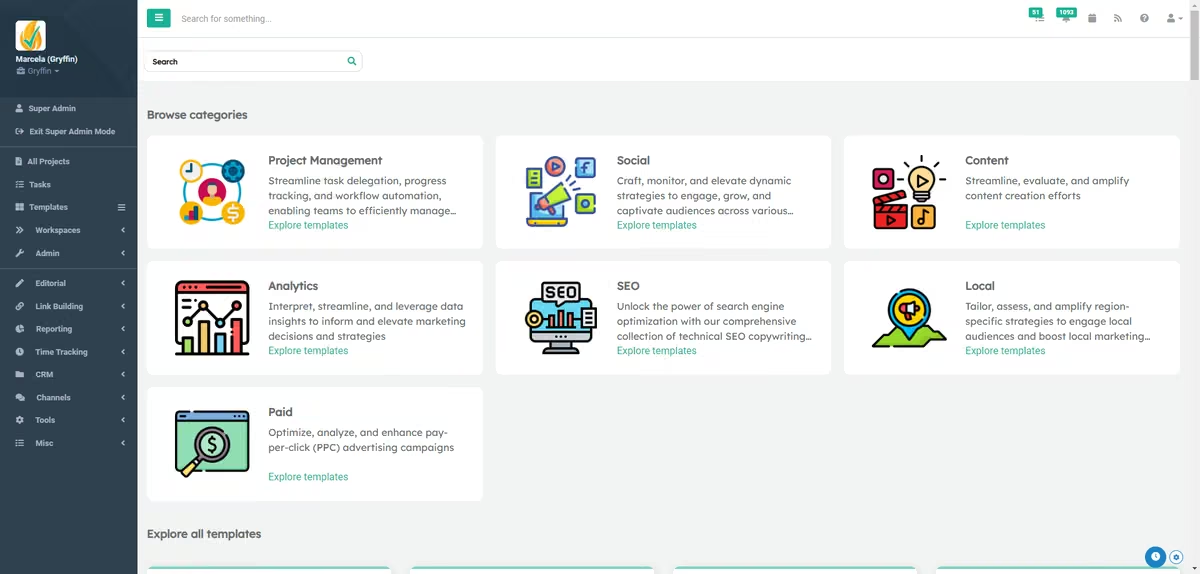
The first step in using Gryffin is selecting a template. Gryffin provides a vast library of customizable templates designed for various marketing needs. These templates are built by marketing experts, ensuring that they are optimized for engagement and performance. Whether you’re crafting social media posts, creating SEO content, or launching a product, Gryffin has a template to suit your needs.
To start, you select a template that aligns with your project goals. For example, if you’re creating Facebook posts, you can choose the appropriate template, enter your project title, and provide the necessary details (e.g., “Gryffin Launches New AI Marketing Tool”). The platform's AI then generates content based on your inputs, which you can review and edit before posting.
2. How to run automation wizards in an AI marketing automation platform
Gryffin’s automation wizards guide users through more complex processes step-by-step, making it easy to complete even intricate marketing tasks. For instance, when optimizing images for SEO, Gryffin prompts you to upload an image, select keywords, and generate the appropriate metadata (such as alt text, file names, and image titles) for improved search visibility. This wizard-driven approach simplifies complicated tasks, allowing users to focus on strategy rather than manual details.
3. How to generate on-brand content in an AI marketing automation platform
One of Gryffin's most compelling features is its AI-powered content generation. The platform allows you to input key details about your brand, product, or campaign, and then uses AI to generate customized, ready-to-use marketing materials. The AI draws on its deep learning algorithms to craft high-quality content tailored to your brand’s unique tone, style, and goals.
For example, Gryffin can take a blog article or project details and automatically generate five social media posts optimized for different platforms. This not only saves time but also ensures consistency across all marketing channels.
4. Workflow templates for content teams in an AI marketing automation platform
Gryffin excels at workflow automation by seamlessly integrating both AI-driven tasks and human tasks within a single workflow. For each project, tasks are created, assigned, and tracked using Gryffin’s intuitive interface. Once a task is completed—whether by a team member or by Gryffin’s AI—it automatically moves to the next stage, keeping the project on track and ensuring nothing gets stuck.
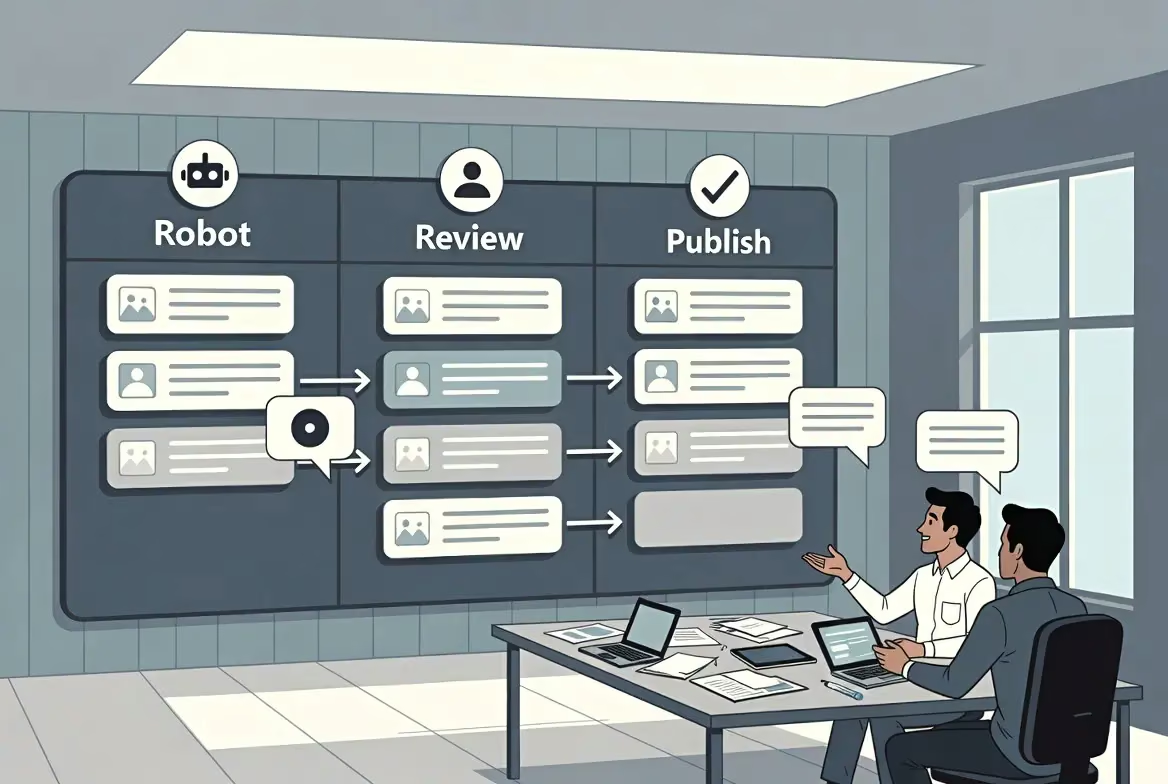
This feature is particularly useful for content teams managing large-scale campaigns. You can set up workflows where one stage involves AI generating content, and the next assigns a human to review the content before it’s published. This combination of automated and manual tasks ensures high-quality results without sacrificing speed or efficiency.
5. Team collaboration in an AI marketing automation platform: Chat, files, tasks
Gryffin is more than just a content creation platform—it also functions as a project management tool. Teams can collaborate in real-time, exchanging messages, uploading files, and tracking tasks all within the platform. Gryffin’s project-specific chat feature allows users to communicate directly within the project dashboard, streamlining collaboration and reducing reliance on external communication tools.
6. How to customize brand voice and style in an AI marketing automation platform
Personalization is a key strength of Gryffin. The platform enables users to provide specific details about their brand’s voice, style, and messaging, which are then incorporated into every piece of content generated. Whether you’re a small business, an agency, or a large enterprise, Gryffin’s flexible workflows and customizable templates allow you to maintain a consistent brand identity across all marketing efforts.
7. How to connect analytics and run SEO in an AI marketing automation platform
Gryffin doesn’t just generate content—it also provides data-driven insights to help improve your content over time. The platform integrates with popular analytics tools like Google Analytics and SEMrush to track performance and adjust content strategies in real-time. Whether you’re optimizing content for SEO, analyzing social media engagement, or tracking conversions, Gryffin ensures that your marketing efforts are informed by the latest data.
For SEO specialists, Gryffin offers tools to simplify the optimization process. From keyword integration to technical audits, Gryffin automates many of the manual processes involved in SEO, making it easier to improve rankings and drive traffic.
8. How to manage tasks and priorities in an AI marketing automation platform
Managing large projects can be overwhelming, but Gryffin’s task management system helps keep everything organized. Users can view all tasks in a Kanban board, track due dates, and assign tasks to team members with ease. The platform automatically prioritizes tasks and ensures that high-priority items are completed on time. This dynamic approach to project management reduces bottlenecks and ensures smooth execution of even the most complex marketing strategies.
9. Create once, adapt everywhere with an AI marketing automation platform
Gryffin supports content creation across multiple platforms, including social media, blogs, email, and more. Whether you’re writing Facebook posts, developing brand guidelines, or crafting an email marketing campaign, Gryffin allows you to generate and customize content for any channel, saving you time and ensuring consistency.
10. How to save prompts and workflows in an AI marketing automation platform
As you use Gryffin, the platform learns from your inputs and allows you to save prompts and workflows that work well. Over time, this enables teams to continually refine their marketing strategies, ensuring better results with each campaign. By saving successful workflows and templates, you can replicate your successes without starting from scratch.
Get started with Gryffin: Try the AI marketing automation platform
Gryffin stands out as a comprehensive AI-driven marketing automation platform that simplifies the content creation process, enhances collaboration, and automates workflows. Its ability to blend AI-powered tasks with human input, along with its customizable templates and detailed data insights, makes it an invaluable tool for marketers looking to scale their efforts without increasing costs. Whether you’re a small business, an agency, or a large enterprise, Gryffin has the tools you need to innovate, automate, and dominate your marketing strategy.
Ready to revolutionize your marketing efforts? Start a free trial with Gryffin today and experience the power of AI for yourself!
Marketing Automation Platform FAQs
Q: What is Gryffin and how does it handle AI-powered marketing automation from templates to workflows?
A: Gryffin is an AI-driven marketing automation platform that starts with expert-built templates and flows into end-to-end workflows. You choose a template, add brand or campaign details, and the AI generates content and metadata. Automation wizards handle complex steps, while tasks move between AI and human reviews in a shared project space for smooth execution.
Q: Walk me through creating Facebook or X posts in Gryffin using a template and my blog content.
A: Select the Facebook or X template, enter your project title, and paste your blog content or key details. Gryffin’s AI generates platform-ready posts that you can review and edit. You can then schedule them or route to a reviewer as part of your workflow.
Q: How do Gryffin’s automation wizards help with SEO image metadata (alt text, file names, titles)?
A: Upload your image, choose target keywords, and the wizard generates optimized alt text, file names, and titles. This guided process standardizes metadata and reduces manual effort, improving search visibility.
Q: How can I build a Gryffin workflow where AI drafts content and a human reviewer approves it before publishing?
A: Create a project with stages such as AI draft, human review, and publish. Assign the review task to a teammate; once each step is completed, the item advances automatically to the next stage. Track everything in the project dashboard and Kanban board, with chat for in-context collaboration.
Q: Does Gryffin support multi-channel campaigns (social, blog, email), and how do I keep brand voice consistent?
A: Yes. Gryffin supports social media, blogs, email, and more, and lets you set brand voice, style, and messaging that the AI applies across assets. Use customizable templates and a review step to maintain consistency before publishing.
Q: Which analytics and SEO tools does Gryffin integrate with (e.g., Google Analytics, SEMrush), and what insights can I get?
A: Gryffin integrates with Google Analytics and SEMrush to surface performance, rankings, engagement, and conversion data. You can adjust content and SEO in real time, with keyword integration and automated SEO tasks informing next steps.
Q: I need a platform that combines AI content creation with project management—what makes Gryffin different?
A: Gryffin unifies AI content generation and project management in one workflow, so ideation, production, review, and publishing stay connected. Tasks auto-advance between AI and human steps, supported by Kanban boards, assignments, and project chat. Expert templates, wizards, and analytics integrations streamline execution and decision-making.
Q: How does task management work in Gryffin (Kanban boards, assignments, priorities) for large campaigns?
A: Tasks are organized on a Kanban board with owners, due dates, and priorities. As AI or teammates finish a step, the task moves to the next stage automatically, reducing bottlenecks. Managers can see workload at a glance and reassign as needed.
Q: Can Gryffin generate multiple social posts from a single article automatically? What are the steps?
A: Yes. Paste the article or key details into the relevant social template, and Gryffin generates multiple platform-specific posts automatically. Review and edit, then schedule or route for approval in your workflow.
Q: How do saved prompts and reusable workflows in Gryffin help teams improve results over time?
A: Teams can save prompts and workflows that work well, then reuse and refine them on future projects. This creates repeatable processes, shortens setup time, and improves consistency as the system learns your preferences.
At first, we weren’t even thinking about AI visibility. We were focused on rankings and traffic like everyone else. But once we started testing our brand in ChatGPT and other AI tools, we realized we were barely showing up — even for topics we ‘ranked’ for. Gryffin gave us a clear picture of where we stood, how competitors were being cited instead, and what that actually meant for our pipeline. It shifted how we think about search entirely.









.webp)